Blog
How a Waste Management App Runs Collection and Keeps Residents Informed
by Joel Scott • November 17, 2026
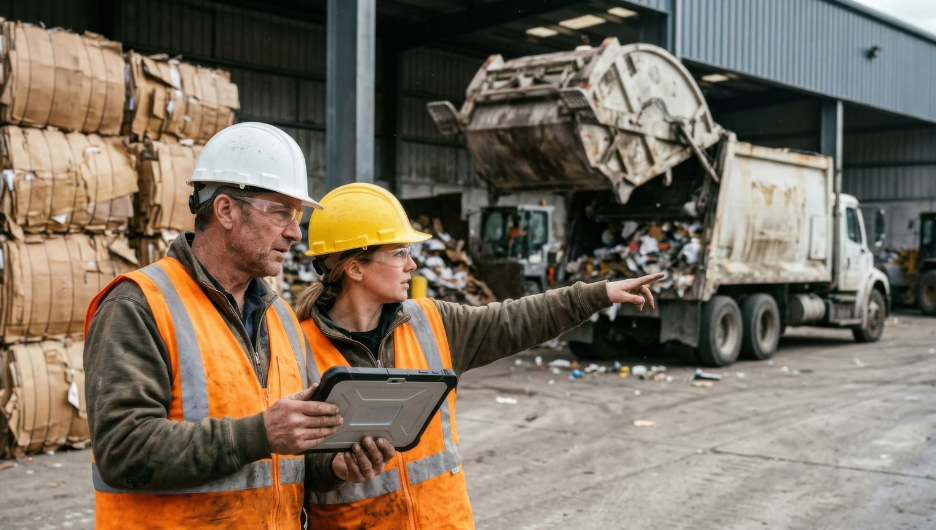
A waste management app is the software a city or hauler runs collection on. For the crews, it is the app in the cab that holds the route, records each stop, and works where the signal does not. For the office, it is dispatch, service verification and the reporting that proves the work. For the resident, it is the schedule, the reminder and a quick ruling on which bin a greasy pizza box belongs in. One term, three users, and the value is in connecting them.
Most people picture only the resident side, the phone app with the collection calendar. That is real, but it is the smaller half. The app that changes an operation is the one the drivers and dispatchers use every shift, because that is where the service is run and proven. A waste management app earns its place when the resident’s answer and the truck’s record come from the same system.
Key Takeaways
- A waste management app is the mobile software that runs waste and recycling collection, from the in-cab driver app and dispatch to the resident schedule and sorting tools.
- The operational half is the one that changes the numbers: an in-cab app that records each stop, works offline, and proves what the truck did.
- The resident half, schedules, reminders and a what-goes-where lookup, heads off the missed-pickup and recycling questions that drive most inbound calls.
- The value appears when both halves share one record, so a resident request becomes a work order and a missed-pickup answer comes from the truck’s own log.
What Is a Waste Management App?
A waste management app is mobile software for running waste and recycling collection. On the operational side it is the app crews use in the cab to work the route, plus the dispatch and reporting the office runs behind them. On the resident side it is the app or web page a household uses to find a collection day, set a reminder, or look up how to get rid of an old mattress. The ones worth having connect the two, so a resident request becomes a work order and a missed-pickup answer comes from the truck’s own record, not a guess.
What Does a Waste Management App Do on the Route?
The operational half is where a waste management app earns its keep. In the cab, the in-cab app gives the driver the route for the day, records whether each stop was serviced and why, captures a photo of a blocked or contaminated bin, and keeps working where the signal drops, syncing when the truck reconnects. In the office, dispatch sees the fleet in real time, reassigns work when a truck goes down, and the service and tonnage data the rounds generate flows into reporting instead of a spreadsheet.
This is the part the resident never sees and the operation runs on. A stop recorded in the cab settles a missed-pickup dispute, a defect logged on the walkaround reaches the shop, and a day of collection becomes a record the office can stand behind. Without it, an app is a schedule on a phone with nothing behind it.
What Can Residents Do in the App?
On the resident side, most of what a household needs maps to three questions: when is my collection, what goes in which bin, and why was my bin skipped. A waste collection app answers them with a collection calendar, a reminder the night before a pickup, and a what-goes-where lookup that returns a plain answer for a specific item. Residents can also book a bulky pickup or request a new cart, and get an alert when a holiday or weather moves the route.
That same sorting lookup is also the cheapest way to cut recycling contamination, because it reaches people at the moment they decide which bin to use, which a flyer mailed once a year does not. Hampton Roads runs the sorting tool across its member communities for exactly that reason. Reach decides whether any of it lands, so the stronger programs put the same tools on the web and send reminders by text and email, in the languages the community speaks.
How Does a Waste Management App Cut Missed Collections and Calls?
Missed-pickup calls come in two kinds: the bin a resident forgot to set out, and the stop a crew truly skipped. The app handles both, from opposite ends. A reminder the night before cuts the first, because a resident who gets a nudge sets the bin out. Service verification settles the second, because the stop is recorded with a time and a photo, so a disputed pickup ends with the record instead of an automatic credit and a return trip.
The effect shows up fast once residents can serve themselves. East Hants gave residents a collection calendar, reminders and a sorting lookup, and hotline calls dropped by 84%. Each call that no longer happens is often a go-back that no longer happens, so the saving lands at the contact centre and on the route at once.
What Should a Waste Management App Include?
The apps that change an operation share a core set of capabilities across the cab, the office and the resident. A gap in any one becomes a manual workaround somewhere else.
| Capability | What it does | Who uses it |
|---|---|---|
| In-cab route and service record | Holds the route, records each stop with a time and photo, and works offline | Drivers |
| Dispatch and real-time fleet view | Reassigns work when a truck goes down and tracks progress across the fleet | Office and dispatch |
| Service and tonnage reporting | Turns the day's collection into data for returns and reviews, not a manual rebuild | Managers |
| Collection calendar and reminders | Gives residents their schedule and a nudge the night before a pickup | Residents |
| What-goes-where sorting lookup | Answers the which-bin question at the moment of the decision | Residents |
| Requests that become work orders | Turns a bulky pickup or new-cart request into a scheduled stop | Residents and office |
Do Cities and Haulers Need Different Apps?
The pieces are similar; the owner changes the emphasis. A city runs the app as a public service wired into its own systems, so a bulky-item request a resident submits on a Sunday becomes a scheduled stop without anyone retyping it, which is what a municipal operations platform ties together. A private hauler runs the same logic across a commercial and residential book, where the app sets the customer’s expectation and the operational side proves the service met it. The split that fails is running the resident half without the operational half, which leaves residents in the dark or the office buried in calls.
One App, From the Cab to the Curb
A waste management app is not a digital brochure with a schedule in it. It is the system the crews run the route on, the office proves the service with, and the resident checks and reports from. The apps that pay for themselves do all three, not just the one a household sees. Connect the cab, the office and the curb, and routine calls fall, the recycling stream gets cleaner, and the operation finally sees how the service it pays for is used.
Frequently Asked Questions
It is mobile software for running waste and recycling collection. For the operator it is the in-cab app, dispatch and reporting that run the service; for the resident it is the schedule, reminders and sorting lookup. The useful ones connect the two.
A good one does. Collection routes run through areas with patchy signal, so the in-cab app has to keep working with no connection and sync when the truck reconnects. An app that needs a constant signal was not built for the route.
Both, and the value is in the overlap. The operator runs collection on it and proves the service, and the resident uses the self-service side for schedules and sorting, so a request on one side becomes a work order on the other.
From two ends. A reminder the night before cuts the bins residents forget to set out, and in-cab service verification settles the stops a crew is accused of skipping, with a time and a photo in place of an automatic credit.
Inbound calls by reason, missed-pickup credits, set-out and participation rates, and contamination trends. Movement in those shows whether the app is being used and whether it is removing the work the office used to handle by phone.
About the Author

Joel Scott
Joel Scott leads product marketing at Routeware. With more than two decades of experience in enterprise software for the public and private sectors across the UK and North America, Joel writes on the critical operational and technology challenges facing governments and resource management companies today.
 North America
 United Kingdom