Blog
Electronic DVIR for Waste and Recycling Fleets: From Paper Checklist to Audit-Ready Record
by Joel Scott • November 13, 2026
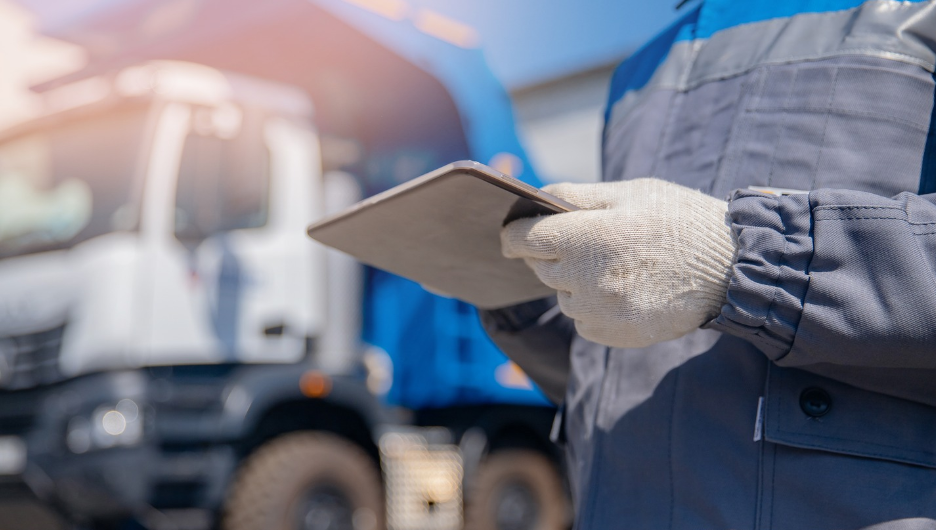
Every waste and recycling route begins and ends with a vehicle inspection. On many fleets that still means a paper checklist on a clipboard. Forms get lost or smudged, an inspector asks for records nobody can find quickly, and a tired driver ticks boxes without walking the truck. The inspection meant to keep a loaded collection vehicle safe becomes a formality.
Drivers already do inspections. The real question is whether you can prove an inspection happened, act on what it found, and keep an unsafe truck off the road. An electronic DVIR answers all three. It replaces the paper driver vehicle inspection report with a guided digital check that drivers complete on the tablet already in the cab, and it turns every inspection into a record the back office can find in seconds.
Key Takeaways
- An electronic DVIR is a digital driver vehicle inspection report that drivers complete in-app before and after a route, with checklist results, readings and sign-off captured in one record.
- Drivers already inspect their trucks, so the value is proof the check happened, a record you can produce on demand, and a defect that reaches the shop instead of a note that never does.
- A built-in DVIR locks an unsafe truck out of service and routes the defect straight to maintenance, so a vehicle with a brake or steering fault never leaves the yard.
- Timed checklist items and offline support keep inspections honest and working where signal is poor, so a twenty-point walkaround cannot be cleared in ten seconds.
What Is an Electronic DVIR?
A DVIR, or driver vehicle inspection report, is the record a commercial driver creates to confirm a vehicle is safe to operate and to report any defects. An electronic DVIR is that same report delivered as software rather than paper. The driver selects a vehicle, works through a checklist of required items, records readings such as tire pressure and fluid levels, and signs to confirm the condition of the truck. The report is stored, time-stamped and linked to the driver and vehicle on its own.
For waste and recycling haulers, the strongest version is not a separate app the driver has to remember to open. It launches from the in-cab apps that already run the route, with the driver and vehicle filled in, so the inspection is part of starting and ending the shift instead of an extra task bolted onto it.
Why a DVIR Matters More on a Loaded Collection Truck
Inspections are part of operating a commercial fleet, and for waste, recycling and public works operations the inspection carries weight well beyond the checklist.
- Safety: a missed brake, tire or steering defect on a fully loaded collection truck moving through neighborhoods is a serious risk to residents and to the driver.
- Uptime: defects caught in the yard mean fewer roadside breakdowns and fewer missed routes to recover the next day.
- Audit readiness: when an inspector asks for inspection history, the records should take minutes to produce, not a day of searching filing cabinets.
- Accountability: the operation needs proof that inspections happened and that defects were fixed, not a signature that could have been added from the break room.
If the honest answer to any of these makes you wince, the process is worth a second look. Are inspections still on paper? How is truck downtime tracked today? And how much office time goes into answering inspector requests?
Paper DVIR vs Electronic DVIR, Moment by Moment
The quickest way to see the difference is to follow the same moments through both systems.
| What happens | Paper DVIR | Electronic DVIR |
|---|---|---|
| A driver inspects the truck | A box ticked on a clipboard, often in a hurry | A guided checklist with a minimum time per item |
| A safety defect is found | Depends on the driver flagging it and someone reading the slip | The truck is locked out and maintenance is alerted on its own |
| A defect needs fixing | A note that may never reach the shop | Routed to maintenance with a repair record and sign-off |
| An inspector asks for records | A search through filing cabinets | A report pulled in minutes |
| Records are retained | Paper filed, lost or faded over time | Stored securely and searchable by date, vehicle or driver |
| Connectivity is poor | Paper works but never reaches a system | Works offline and syncs when the truck reconnects |
How Does an Electronic DVIR Work on a Waste Route?
A good DVIR app follows the driver through the day instead of sitting to one side of it.
Pre-trip, before the route starts
The driver selects a vehicle and the inspection opens on its own, with the driver, vehicle and company already filled in. Each item is marked pass or fail, readings like tire pressure and fluid levels are entered, and the driver signs to confirm the truck is fit for the road. If everything passes, the driver goes straight to the route.
When a safety defect is found
The vehicle is locked out and cannot be dispatched. A report goes to maintenance automatically, and the driver moves to a different truck. No unsafe vehicle leaves the yard on a technicality or a rushed sign-off.
Post-trip, at end of shift
The post-trip inspection is built into logout, so it cannot be skipped on the way home. Anything that developed during the day is captured while it is fresh.
Stopping the rushed inspection
A minimum time can be set on individual checklist items, so a driver cannot clear a twenty-point walkaround in seconds. The guided flow and the readings it asks for make a real check the only way to finish.
Built for life on the route
The app works where connectivity is patchy and syncs when it reconnects. It recognizes when a truck has already been inspected that day so drivers do not repeat work, and drivers can pull up past inspections for the truck they are on right from the tablet.
Closing the Loop With the Maintenance Shop
A defect is only useful if someone fixes it, and closing that loop is the step most digital forms leave out. A built-in DVIR gives the maintenance team its own view of the fleet. Mechanics see every vehicle with open defects, record the repair, add notes, enter a work-order number and sign off, and a PDF record and audit trail build themselves. Before the next driver takes that vehicle out, they review and acknowledge the repair, so the loop closes.
The office gets control and visibility. Inspection templates are built for each vehicle type and applied to many trucks at once, covering the standard inspection items from service and parking brakes to steering, lights, tires, mirrors and emergency equipment. Reporting pulls inspection history by date range, vehicle or active defect, and records are retained securely so the history is always there.
Why Built-In DVIR Beats a Standalone App
A standalone inspection app adds another login, another device and another silo of data that never meets the route. An electronic DVIR built into the in-cab technology that already runs the fleet keeps inspections, routes, vehicles and drivers in one connected system, so a locked-out truck reshuffles the route and a repair history sits next to the asset it belongs to.
Routeware builds DVIR into the in-cab and back-office apps that private haulers and public works fleets already use. Retiring the clipboard does more than remove paper. It makes every inspection count, and gives the fleet a record it can stand behind on any day an inspector asks.
Frequently Asked Questions
A forms app records the inspection and stops. An electronic DVIR closes the loop: a failed item locks the truck out, the defect reaches a mechanic, the repair is logged with a sign-off, and the next driver acknowledges it before taking the vehicle out.
Both. Every defect and repair is recorded against the vehicle, so a fault caught in the yard beats a breakdown on route, and a truck that keeps failing the same item flags itself before it strands a crew.
Yes. Checklists can be set by vehicle and by pre-trip or post-trip, so a front-loader, a roll-off and a rear-loader each get the checks that fit them
Yes. A small operator feels the benefit directly, because there is no back office to chase paper, and the same lockout and repair trail that protect a large fleet protect a one-truck operation.
About the Author

Joel Scott
Joel Scott leads product marketing at Routeware. With more than two decades of experience in enterprise software for the public and private sectors across the UK and North America, Joel writes on the critical operational and technology challenges facing governments and resource management companies today.
 North America
 United Kingdom