Blog
How Do Routeware’s Community Tools Work?
by Aidan McLennan • April 8, 2024
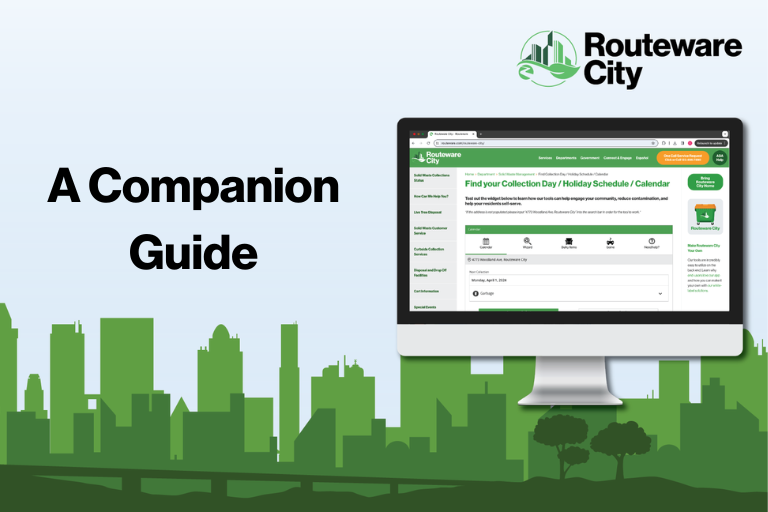
How Do Routeware’s Community Tools Work?
Note: below we will walk through the Collection Calendar, Waste Wizard, Bulky Pickup, and Waste Sorting Game tools, plus other tool features, the surrounding toolbar, and other elements on the page.
If you have something specific in mind, please feel free to scroll to that section or search utilizing cmd/ctrl+F.
An Overview
Before we dive into each tool specifically, below lies a brief, 2.5 minute video showcasing the tools at a surface level.
If you want to dive deeper on any topic, we’d recommend reading into any of the subheadings below or visiting Routeware City and exploring yourself.
Collection Calendar
Allow your residents to view personalized collection dates and information, set reminders for themselves, integrate the calendar into their own, see their bulky pickups, and more!
For the purpose of keeping our tool simple, we only included one loadable address – for you, the address bar will be searchable for every address in your service area.
Below is a video walking through the tool.
Waste Wizard
Provide your residents with detailed disposal information for every item you want. Allow them to suggest their own items when they can’t find it, enable our predictive text to suggest alternatives for misspellings and items known by other names.
Plus, customize your featured search items to show the 4 items you want to focus your educational efforts the most on, depending on data, season, and more!
Below is a video walking through the tool.
Bulky Pickup / Special Collections
Want to make curbside collection easier for your bulky pickup items, like couches and bookshelves?
Now you can, in just a few easy clicks. Our tool also integrates directly with payment processors, so you can get your pickup scheduled and get paid without ever lifting a finger.
P.S. Make all this and more, like cart replacement programs, easy with Service Requests.
Let people self-serve, initiating residential service, scheduling bulky and extra items, household hazardous waste, yard waste, and making changes (new cart sizes and repair requests).
Below is a video walking through the tool.
Waste Sorting Game
Come play our Waste Sorting Game at Routeware City!
Help your residents learn in real-time what materials go in what bin, all while having fun.
Every element of the game you see can be customized for your city.
Below is a video walking through level one of the game.
Other Tool Features
Need Help?
Your residents might.
That’s why we include a customizable Need Help button in all of our web widgets and mobile apps, to improve the user experience, and to reduce the amount of queries you have to handle.
As well, as you can see on the bottom left and right side of the widget on the screenshot below, we also provide a complete list of searchable materials for residents to browse through.
This is alongside making our Privacy Policy, Terms of Service, and Cookie Policy freely available for the sake of transparency and honesty.
Other Elements On The Page
Though the two buttons underneath our tool linking to Google Play and the App Store do not go anywhere on our site – but for you they will take your residents directly to your white-labelled app in the respective app store, simplifying the promotion and adoption processes.
Meanwhile, we included a little Service Alert blurb, as that’s where many of our customers like to place a call-to-action for their own residents to sign up for their city’s service updates and notifications.

Thank you for reading through our companion guide on how our tools work!
If you’re ready to have an initial, exploratory talk with a dedicated waste professional, Get Started here or by clicking on the orange button below.